

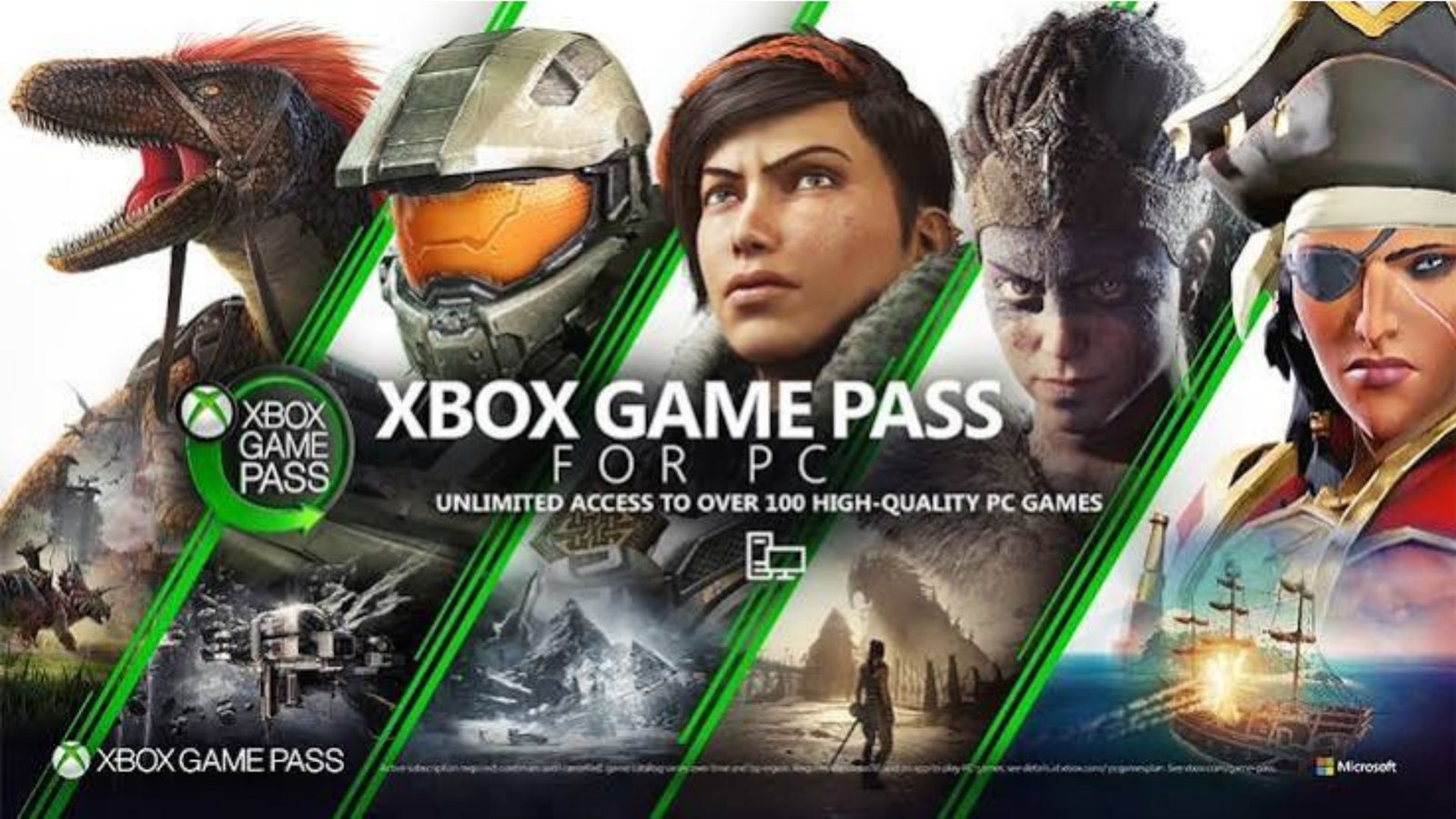
Finding great PC games can become expensive when every new release requires a separate purchase. Buying a game you might finish in a few days can also leave you wondering whether your money was well spent. Xbox Game Pass PC offers a practical alternative by giving subscribers access to a changing library of games for a recurring fee. This guide explains the subscription cost, available games, installation process, multiplayer options, and common problems so you can decide whether it suits your gaming habits.
1. What Is Xbox Game Pass PC?
Xbox Game Pass PC is a gaming subscription from Microsoft designed for Windows computer users. Instead of buying every supported game individually, subscribers can download and play games included in the available PC library while their membership remains active.
The service brings together games from Microsoft-owned studios, independent developers, and participating publishers. The catalog changes over time, so players can discover new releases, revisit familiar franchises, and experiment with genres they might not normally purchase.
The subscription also includes EA Play membership, which provides access to a selection of Electronic Arts games and additional member benefits. Exact benefits, game availability, and supported features depend on the current offer and region.
Key features include:
- Access to a changing library of PC games.
- Selected new releases available on their launch day.
- EA Play membership with eligible subscription plans.
- Member discounts on selected games and downloadable content.
- Game discovery, downloads, updates, and library management through the Xbox PC app.
- Multiplayer options for supported games.
The main advantage is flexibility. You can explore different games without paying the full purchase price for each title, provided those games remain included in your subscription.
2. How Much Is Xbox Game Pass PC?
The Xbox Game Pass PC price depends on your country, billing currency, applicable taxes, and the subscription offer available to your account. Microsoft can also change subscription rates, so check the price displayed at checkout before purchasing.
For reference, Microsoft’s US store has listed PC Game Pass at $13.99 per month. This is a US-market reference price, not a guaranteed price for every country or a promise that the rate will remain unchanged.
Subscription pricing and plan comparison
| Plan | Typical purpose | Main benefits | Best suited for |
|---|---|---|---|
| PC Game Pass | Windows PC gaming | PC library, selected day-one releases, EA Play | Players who mainly use a gaming computer |
| Game Pass Essential | Entry-level access across supported devices | Smaller catalog and selected membership benefits | Casual players seeking a lower-cost option |
| Game Pass Premium | Broader catalog across supported devices | Larger library and selected additional features | Players who want more variety |
| Game Pass Ultimate | Broader access across supported platforms | Expanded library, selected day-one games, cloud gaming, and additional benefits | Players who want multiple gaming options |
The exact catalog and benefits vary by plan. Do not assume that every game, cloud feature, or day-one release is included with every subscription.
What affects your final subscription cost?
Consider these factors before choosing a plan:
- Billing country: Local prices can differ substantially from US pricing.
- Taxes: Applicable taxes may increase the checkout total.
- Promotional offers: Introductory deals may be available only to eligible accounts.
- Automatic renewal: A discounted first period may renew at the regular rate.
- Subscription duration: Check whether you are purchasing a monthly membership or another available term.
A good way to judge value is to compare the subscription cost with the normal purchase prices of games you genuinely intend to play. If you regularly explore several included games each month, a subscription may offer better value than purchasing each title separately.
3. What Games Are Available on Xbox Game Pass PC?
The Xbox Game Pass PC games catalog includes different genres, from action adventures and role-playing games to strategy, racing, simulation, and independent titles.
Microsoft updates the library over time. Some games join the service, while others leave when their licensing or availability period ends. A title may also be available on console without being included in the PC catalog.
The following examples illustrate well-known games and franchises associated with PC gaming and the wider Game Pass ecosystem. They are not a guarantee that every listed title is included in the current PC subscription.
Popular games and genres to explore
| Game or franchise | Genre | What players can expect | Availability note |
|---|---|---|---|
| Forza Horizon | Open-world racing | Exploration, vehicle collection, and competitive driving | Verify the specific edition |
| Halo | Science-fiction shooter | Campaign missions and selected multiplayer modes | Availability differs by title |
| Age of Empires | Real-time strategy | Civilization building, resource management, and tactical battles | Check the individual edition |
| Minecraft | Sandbox | Building, exploration, and creative gameplay | Confirm the applicable subscription and edition |
| Microsoft Flight Simulator | Flight simulation | Aircraft operation and detailed virtual environments | Check PC requirements and edition |
| Sea of Thieves | Multiplayer adventure | Cooperative voyages, exploration, and ship battles | Confirm current catalog status |
| Grounded | Survival adventure | Crafting, base building, and survival challenges | Check the current PC listing |
| The Sims | Life simulation | Character creation, relationships, and home design | Individual games and content differ |
| Fallout | Role-playing | Exploration, quests, character development, and combat | Verify the specific game |
| DOOM | First-person shooter | Fast-paced combat and action-focused campaigns | Verify the specific game and plan |
Always check the current listing before subscribing specifically for one title. A game’s presence in the wider Xbox ecosystem does not automatically mean that its PC version is included with PC Game Pass.
4. How to Find the Xbox Game Pass PC Games List
A current Xbox Game Pass PC games list is more useful than a static article because membership catalogs can change every month. Checking the library before paying helps you avoid subscribing for a game that is unavailable in your region or belongs to another plan.
Use these steps to explore the catalog:
- Open the Xbox app on your Windows computer.
- Sign in with the Microsoft account you intend to use for your subscription.
- Open the Game Pass section.
- Browse the available PC games.
- Filter by genre, multiplayer support, features, or other available categories.
- Open a game’s details to review its edition, system requirements, and subscription availability.
- Check whether the game is currently included before selecting Install.
How to evaluate the catalog
Rather than focusing only on the total number of games, check the titles that match your interests.
- Action players: Look for shooters, action adventures, and combat-focused campaigns.
- Strategy fans: Explore city-building, tactical, and real-time strategy games.
- Racing enthusiasts: Check vehicle selection, driving modes, and controller support.
- Casual players: Look for puzzle games, simulations, and shorter independent experiences.
- Friends and families: Check local multiplayer, online co-op, age ratings, and controller requirements.
The best games on Xbox Game Pass PC are the ones you will actually play. A smaller selection of games that match your interests can be more valuable than a much larger library that you rarely open.
5. What Does Xbox Game Pass PC Include?
The subscription provides more than a list of downloadable games. Depending on the current membership terms, it can also include publisher benefits, discounts, and access to selected new releases.
Understanding these features makes it easier to compare the subscription with buying games individually.
Game downloads and library access
You can download eligible games to a compatible Windows PC and play them locally. This can be useful if you prefer stable performance without relying on a cloud-streaming connection.
However, subscription access is not permanent ownership. If your membership expires or a game leaves the catalog, you generally need to renew your membership or purchase the game to continue playing through that entitlement.
Day-one releases
Selected games become available through qualifying subscriptions on their release day. This can make the membership attractive to players who regularly follow new releases.
Not every new game receives day-one access, so check the game’s listing and plan benefits before relying on this feature.
EA Play benefits
PC Game Pass includes EA Play, which offers a collection of eligible Electronic Arts games and member benefits. The exact collection can change, and not every EA title or add-on is automatically included.
Member discounts
Eligible subscribers may receive discounts on selected games, downloadable content, and add-ons. These discounts can be helpful if you want to purchase a game you enjoyed after trying it through the service.
Cloud gaming limitations
Do not assume PC Game Pass includes every cloud gaming benefit advertised for Xbox Game Pass Ultimate or other plans. Cloud access depends on the specific subscription, supported device, game, and region.
6. How to Download Xbox Game Pass PC Games
The Xbox app is the main place to discover and install supported subscription games on Windows. Before downloading a large title, make sure your computer has enough free storage and meets the game’s minimum requirements.
Step-by-step installation guide
Step 1: Prepare your Windows PC
Check that your computer is running a supported version of Windows. Microsoft’s PC Game Pass page specifies Windows 10 or Windows 11, version 22H2 or higher, subject to the current requirements.
Step 2: Install the Xbox app
Open the Microsoft Store and install or update the Xbox app. If the app is already installed, check for updates before troubleshooting other issues.
Step 3: Sign in to your account
Use the Microsoft account associated with your active subscription. Signing in with a different account can make your membership or installed games appear unavailable.
Step 4: Choose a game
Browse the PC library and open the page for the game you want. Review its edition, supported operating system, storage requirements, and available subscription access.
Step 5: Select Install
Choose Install and follow any prompts to select the installation drive or required components. Some games may also require additional launchers or account connections.
Step 6: Wait for the download
Large games can take considerable time to download. Keep enough free storage available and avoid interrupting the installation unless the app reports a problem.
Step 7: Launch the game
Once installation finishes, open the game from the Xbox app or its supported launch method. Some titles require an initial update, a publisher account, or additional permissions.
What should you check before installing?
| Requirement | Why it matters |
|---|---|
| Windows version | Older or unsupported versions may prevent installation |
| Available storage | Game files and updates can require substantial space |
| RAM | Insufficient memory can cause poor performance or startup failures |
| Graphics hardware | The GPU must meet the game’s minimum requirements |
| Internet connection | Downloads, updates, and online features require connectivity |
| Microsoft account | Your account must have the appropriate subscription entitlement |
| Additional launcher | Some games need a supported third-party launcher or account |
Meeting the Xbox app’s basic requirements does not mean every game will run well. Always check the requirements for the specific title.
7. Does Xbox Game Pass PC Support Local Multiplayer?
Xbox Game Pass PC local multiplayer games can be a great choice for friends or family members who want to play together in the same room.
However, local multiplayer is a game-specific feature rather than a benefit automatically provided by the subscription. Some games support shared-screen play, some offer split-screen modes, and others only support online multiplayer.
Before installing a game for a group session, check the number of supported local players and the required controllers or input devices.
Local multiplayer versus online multiplayer
| Feature | Local multiplayer | Online multiplayer |
|---|---|---|
| Player location | Usually the same room | Different locations are possible |
| Internet requirement | Depends on the game | Normally required |
| Controllers | Often needed for shared-screen play | Depends on the game |
| Split-screen | Available in selected titles | May or may not be available |
| Subscription access | Game must be included or owned | Game must be included or owned |
| Player accounts | Requirements vary | Online accounts may be required |
How to choose a local multiplayer game
Look for these details on the game’s product page:
- Local co-op or local versus support.
- The maximum number of local players.
- Shared-screen or split-screen functionality.
- Controller compatibility.
- Whether the game requires a separate account for each player.
Do not confuse online co-op with local co-op. A game can support cooperative missions while requiring each player to use a separate device.
8. Is There an Xbox Game Pass PC Free Trial?
An Xbox Game Pass PC free trial or introductory offer may be available to eligible customers, but it is not guaranteed for every account or region.
Microsoft changes promotional offers over time. Some offers may provide a reduced-cost initial period instead of a completely free trial, and eligibility can depend on previous subscriptions or account history.
How to check trial eligibility
- Sign in to the Microsoft account you plan to use.
- Open the official PC Game Pass subscription page.
- Review the offer displayed for your account and region.
- Check the promotional period and the regular renewal price.
- Read the recurring billing terms before confirming your subscription.
If the checkout page displays a trial or introductory price, read the terms carefully. Confirm when the offer ends and whether the membership will automatically renew.
Is a PC Game Pass trial worth trying?
A trial or introductory offer can help you evaluate the library before committing to the regular monthly fee.
Use the period to test games you genuinely want to play, confirm that they run properly on your computer, and assess whether the catalog matches your interests.
If no trial appears for your account, avoid assuming that third-party offers or inexpensive codes will provide the same benefits. Check their validity, region restrictions, and redemption requirements before paying.
9. How to Choose an Xbox Game Pass PC Code or Key Safely
An Xbox Game Pass PC code or key can provide access to a subscription when redeemed through an eligible account. Codes may be sold through Microsoft or authorized retailers, but not every online seller offers a legitimate or compatible product.
The lowest advertised price is not always the safest purchase.
What to check before buying a code
| Check | What to verify |
|---|---|
| Subscription type | The code must activate the intended PC or broader Game Pass plan |
| Region | The code must be redeemable in your account’s country or region |
| Duration | Confirm the number of subscription days or months |
| Expiration | Check whether the offer has a redemption deadline |
| Seller reputation | Prefer Microsoft or a trusted authorized retailer |
| Redemption terms | Read any account, payment, or eligibility restrictions |
| Renewal terms | Understand whether additional recurring payments may apply |
Can you use a PC Game Pass key anywhere?
Not necessarily. Some codes are restricted to particular countries, currencies, or promotional conditions.
A key advertised for another market may fail to redeem on your account. Avoid sellers who promise guaranteed activation without explaining regional restrictions, and never share your Microsoft password or verification codes with a seller.
If you already have a subscription, check the terms for how the new code will affect your membership period before redeeming it.
10. Why Is Xbox Game Pass PC Not Downloading Games?
Xbox Game Pass PC not downloading is a common type of problem that can have several causes. The issue may involve the Xbox app, Microsoft Store, account permissions, available storage, network connectivity, or a problem with the game itself.
Start with simple checks before resetting or reinstalling software.
Troubleshooting checklist
| Problem | What to try |
|---|---|
| Download remains at 0% | Pause and resume the download, then check your connection |
| Installation fails | Confirm that the drive has enough free space |
| Game appears unavailable | Verify your subscription, region, and game entitlement |
| Xbox app will not open | Update Windows and the Xbox app, then restart the PC |
| Microsoft Store errors | Sign out and back in, then check for Store updates |
| Download repeatedly stops | Restart the router if other network problems are present |
| Game is installed but will not launch | Check the game’s requirements and required launcher |
| Installation drive is missing | Review the app’s installation settings and Windows drive access |
Fix 1: Restart the app and computer
Close the Xbox app, restart your PC, and open the app again. This can resolve temporary issues with downloads, background processes, or account sessions.
Fix 2: Check storage and installation settings
Open File Explorer and verify that your selected drive has enough available space. Some games need additional room for updates and temporary installation files.
If you recently changed drives, check whether the Xbox app still points to the correct installation location.
Fix 3: Update Windows and the Xbox app
Install available Windows updates and check for Xbox app and Microsoft Store updates. An outdated component can cause compatibility or installation problems.
Fix 4: Verify the subscription and account
Make sure the Xbox app uses the Microsoft account with the active membership. If a game has left the catalog or is not included in your plan, restarting the download will not restore access.
Fix 5: Check service status
If several games fail to install at once, a Microsoft service issue may be responsible. Check official Xbox service-status information before repeatedly reinstalling the same software.
If the error continues, record the exact error code and consult Microsoft Support. The error code can help identify whether the problem involves licensing, storage, Windows components, or connectivity.
11. How to Cancel Xbox Game Pass PC
You can cancel an Xbox Game Pass PC subscription or switch off recurring billing through your Microsoft account.
Before making changes, check the next billing date and the terms attached to your subscription. Canceling recurring payments does not necessarily mean that access ends immediately.
Cancellation steps
- Sign in to the Microsoft account used to purchase the membership.
- Open your Microsoft account’s Services and subscriptions section.
- Locate the active PC Game Pass subscription.
- Select the available management option.
- Choose the cancellation or recurring billing option displayed for your membership.
- Follow the confirmation steps.
- Check the resulting status and any remaining access period.
The exact labels can vary depending on the subscription and account.
What happens after cancellation?
In many cases, you can continue using your subscription benefits until the paid period ends. If the subscription expires or is canceled with immediate effect under the applicable terms, access to subscription games may end sooner.
You do not normally lose ownership of games that you purchased separately, but subscription access is different from permanent ownership.
How to avoid an unexpected renewal
- Check the next payment date.
- Review any introductory offer’s end date.
- Turn off recurring billing before the renewal deadline.
- Keep the cancellation confirmation for your records.
- Check whether the subscription was purchased directly from Microsoft or through another provider.
If you purchased through a third-party platform, you may need to manage the subscription through that provider instead.
12. Has the Xbox Game Pass PC Price Increased?
Xbox Game Pass PC price increases can affect whether the subscription remains worthwhile for your budget. Microsoft may revise pricing, plan names, promotional offers, or membership benefits over time.
A price increase does not automatically make a subscription poor value. The important question is whether the current cost still makes sense for the games and features you use.
How to evaluate a price change
Compare the new monthly fee with three factors:
- Games played: How many included titles do you actually play?
- Individual purchase prices: What would those games cost if purchased separately?
- Included benefits: Do you use features such as EA Play or eligible member discounts?
For example, a player who completes several expensive games each month may still find the subscription worthwhile. Someone who plays one game for an entire year may prefer to buy that game outright.
What should existing members do?
Review the updated price and plan benefits before the next billing period. If the new cost exceeds the value you receive, consider canceling, changing plans where eligible, or purchasing your favorite games individually.
Use the price displayed for your own account rather than relying on an old article or a screenshot from another country.
13. Is Xbox Game Pass PC Better Than Buying Games Individually?
The best option depends on your gaming habits, budget, and preference for owning specific titles.
A subscription provides access to many eligible games for a recurring fee. Individual purchases provide ongoing ownership rights according to the store’s terms, even when a game is no longer included in a subscription library.
Detailed comparison
| Factor | PC Game Pass | Buying games individually |
|---|---|---|
| Initial cost | Recurring subscription fee | Separate purchase price for each game |
| Number of games | Access to a changing catalog | Access to purchased titles |
| New releases | Selected titles may arrive on day one | Purchase the desired release separately |
| Long-term access | Depends on subscription and catalog status | Generally remains available through the purchasing account |
| Game discovery | Easy to try many included titles | Each new game usually requires another purchase |
| Budget planning | Predictable recurring fee, subject to price changes | Costs vary with each purchase |
| Discounts | Selected member discounts may apply | Regular store promotions may apply |
| Best use case | Playing several included games | Keeping a small collection of favorites |
Which option offers better value?
Choose a subscription if you enjoy trying different games, frequently complete new titles, or want access to a broad catalog without buying every game separately.
Consider individual purchases if you mainly play a few games for long periods, prefer lasting access to particular titles, or rarely find anything interesting in the subscription library.
You can also combine both approaches. Use a subscription to explore new games and buy the titles you want to keep playing after they leave the catalog.
14. Is Xbox Game Pass PC Right for Your Computer?
A subscription does not guarantee that every game will run smoothly on your machine. Performance depends on the specific game’s requirements and your hardware.
Before joining, review your computer’s specifications and compare them with the games you want to play.
Essential PC checks
- Operating system: Confirm that your Windows version is supported.
- Processor: Check the game’s minimum CPU requirements.
- Graphics card: Compare your GPU with the recommended or minimum specification.
- Memory: Make sure your computer has enough RAM.
- Storage: Reserve enough space for the game and its updates.
- Internet connection: Consider download times for large games and the connection needed for online play.
A computer that runs lighter independent games comfortably may struggle with demanding racing games, detailed simulations, or modern action titles.
If your hardware is limited, look for games with lower system requirements and test performance before spending money on upgrades.
15. Frequently Asked Questions About Xbox Game Pass PC
1. How much is Xbox Game Pass PC per month?
The price varies by country, currency, taxes, and current offers. Microsoft’s US store has listed the subscription at $13.99 per month. Check the price displayed for your own account before subscribing.
2. Can I play Xbox Game Pass PC games without an Xbox console?
Yes. PC Game Pass is designed for compatible Windows computers, so you do not need an Xbox console. You do need the appropriate subscription, a compatible PC, and the required game installation.
3. Does Xbox Game Pass PC include every Xbox game?
No. The PC library contains selected titles, and availability differs by plan, region, platform, and time. Some console games may not have a PC version or may not be included in the PC catalog.
4. Is Xbox Game Pass PC free for new users?
A free trial is not guaranteed. Eligible accounts may see promotional offers, including reduced-cost introductory periods. Check the official subscription offer for your account and review automatic renewal terms.
5. Can I keep downloaded games after canceling?
Downloading a subscription game does not mean you own it permanently. Access generally depends on an active subscription and the game’s continued availability. You can keep playing separately purchased games under the applicable purchase terms.
6. How do I fix Xbox Game Pass PC when a game will not download?
Restart the Xbox app and computer, check storage, update Windows and the app, and verify your subscription. If the download still fails, record the error code and check official Xbox service status or contact Microsoft Support.
Conclusion: Is Xbox Game Pass PC Worth Your Money?
Xbox Game Pass PC can be an excellent option for Windows gamers who enjoy discovering different titles, exploring multiple genres, and playing selected new releases without purchasing every game individually. Its changing library, EA Play membership, and eligible discounts can add value for players who regularly use the included benefits.
Before subscribing, compare the current price with your gaming budget, check the available games, and confirm that your computer meets the requirements. Review trial eligibility and renewal terms carefully, and remember that subscription access is not the same as owning a game.
